YouAt
Family location sharing, done privately.
For families done with being tracked. But still want to know everyone’s safe.
Your family sees you when it matters — not every ten seconds.
The origin, the tech under the hood, the roadmap, and how to help us launch.No second-by-second tracking. Your position updates when you open the app, start a Trail, or answer a YouAt-Locate. Want Safe Zone alerts even when a phone is locked in a pocket or purse? Turn on locked-phone alerts and YouAt refreshes quietly about every 5 minutes when it hasn't heard from that phone — only with your circle, and Ghost Mode pauses it anytime. You can hush update alerts whenever the refresh gets noisy — it's a toggle, not a hidden setting.
YouAt never fakes presence. Every card shows the truth: Live, Idle, In background, Closed or Offline — plus battery and whether someone is inside a Safe Zone. When you tap YouAt-Locate, the other person gets a notification, and their explicit tap sends back a fresh location — even if their app was closed. Their tap keeps consent honest both ways.
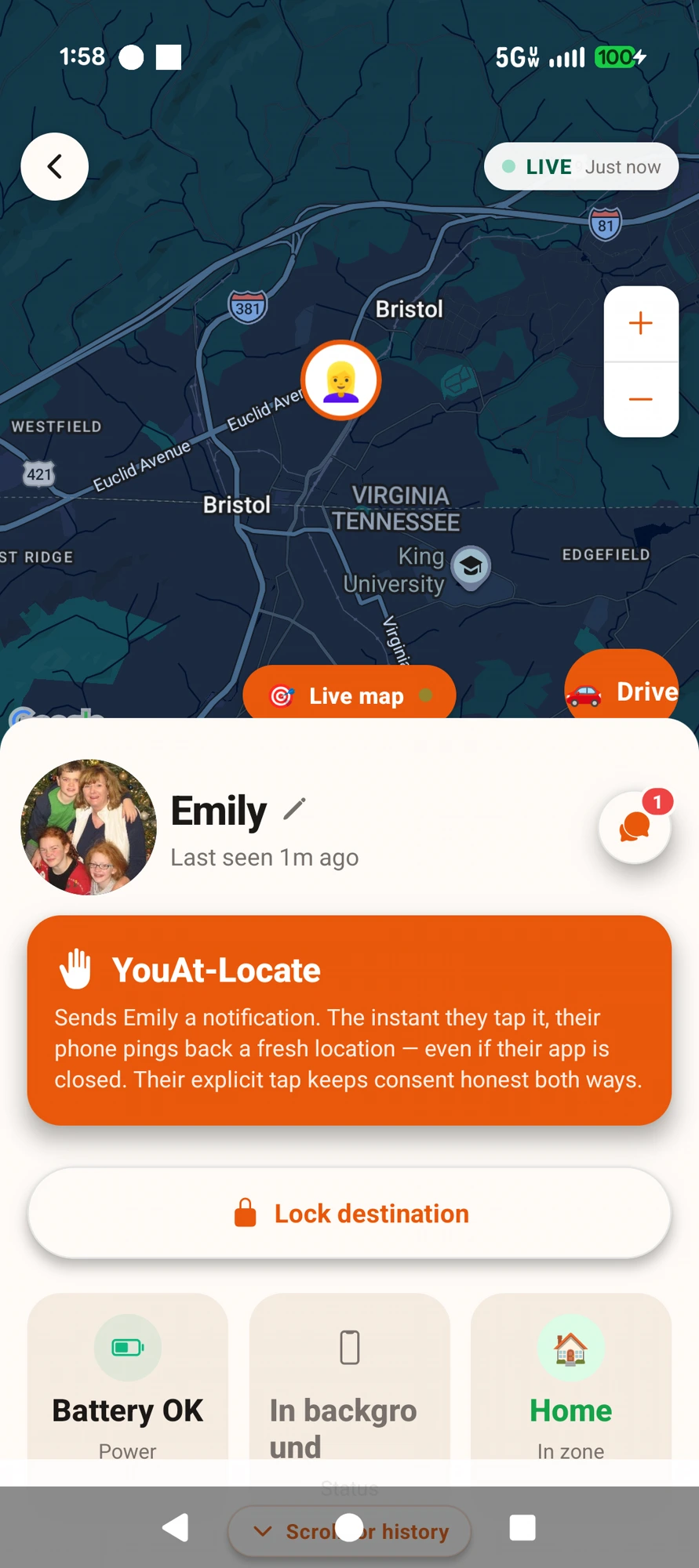
Real phone — Emily’s card: honest status, one-tap YouAt-Locate.
Tap the mic and talk to your family map. “Where’s Emily?” flies the map to her and tells you how far away she is. “Drive to Grandma’s” starts directions. “Park here” saves your spot and “Take me to my car” walks you back. “Tell Emily I love you” posts it to your circle chat. Add a Safe Zone, change the map, start a Trail or turn on Ghost Mode — all hands-free. Your words are turned into text and the recording is thrown away.
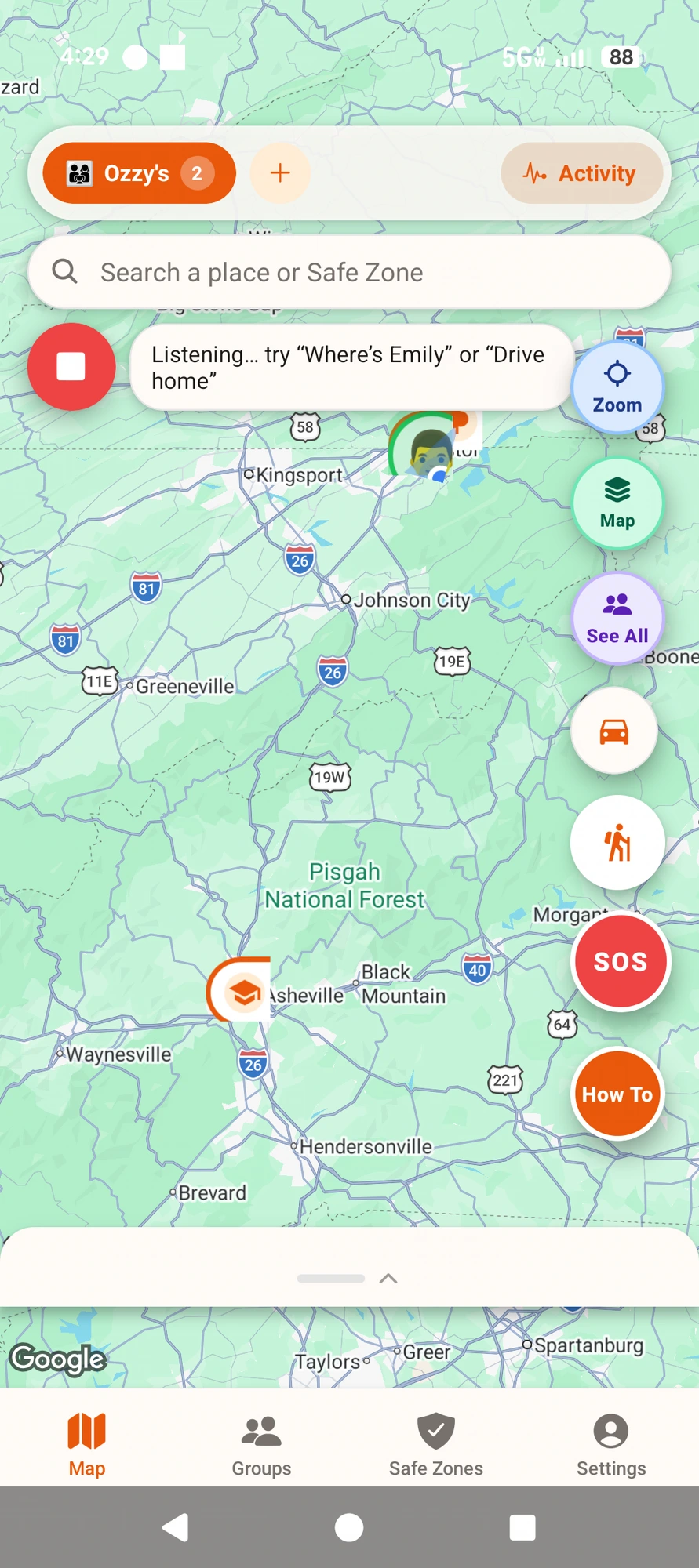
Just say it — hands-free commands on your family map.
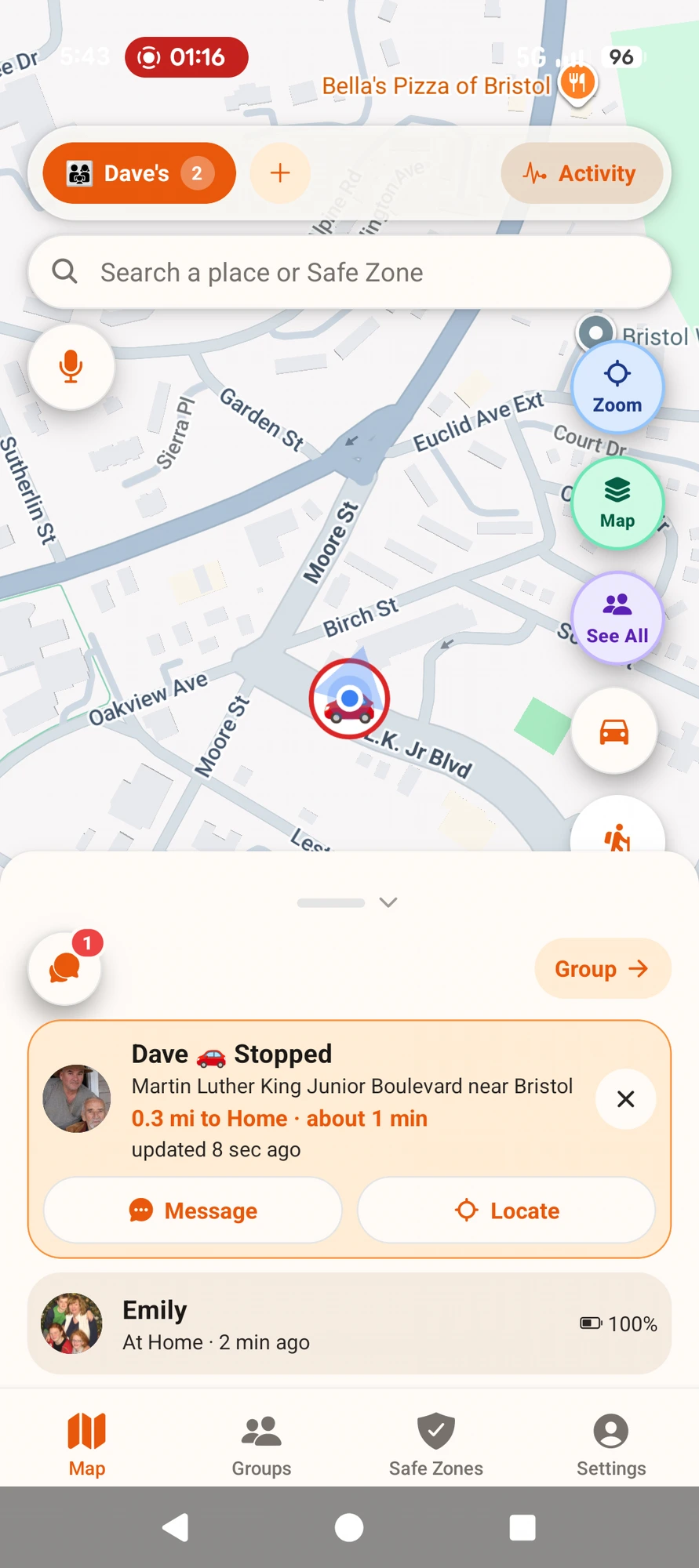
When someone in your circle is driving, their photo turns into a 🚗 on the map and their card shows it live: speed, the road they’re on, and how far they are from Home — “65 mph · U.S. 23 near Mars Hill · 65 mi to Home, about 60 min.” Message or Locate them with one tap. Nobody has to text from behind the wheel.
Real screen recording, Nov 5 — 27 → 30 mph down Euclid Avenue, live.
At a light 🚦
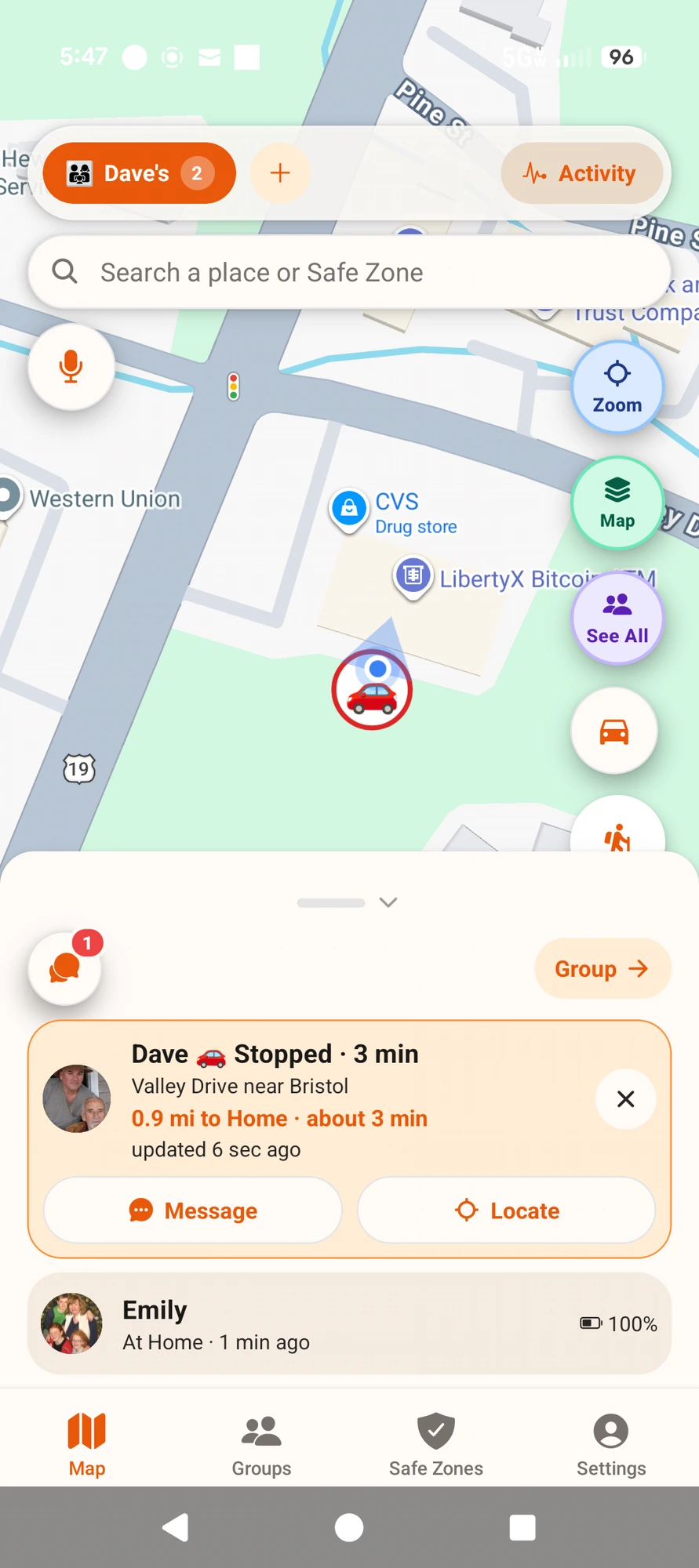
Stopped · 3 min 🚗
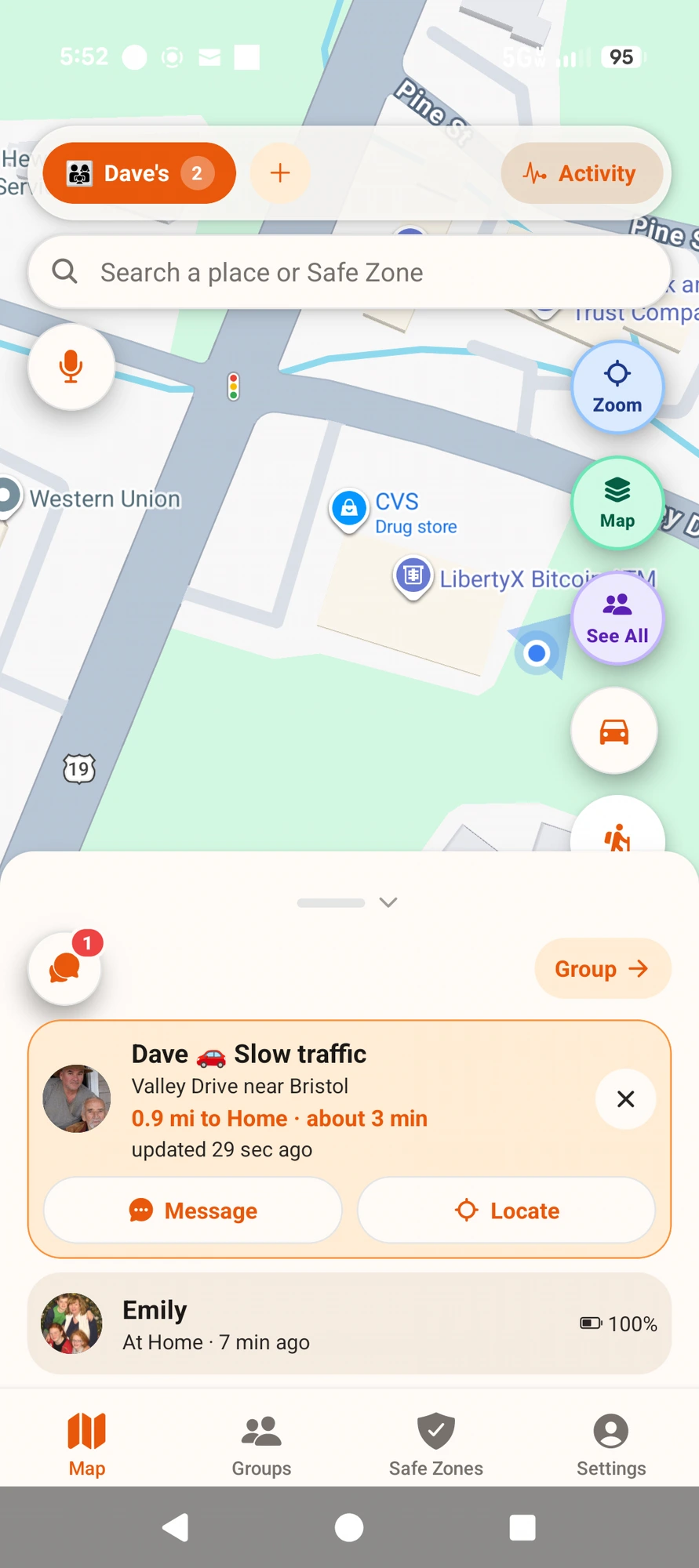
Slow traffic 🐢
Real phone, Nov 5 — the drive card tells you the truth: moving, stopped, or stuck in traffic, and how far from Home.
Every circle gets its own private group chat — only the people with your invite code can see it. Tap the chat bubble on the map, or the Message button on anyone’s card. Hands busy? Just say “Tell Emily I love you” and YouAt posts it for you. No ads, no strangers, no extra app to install.
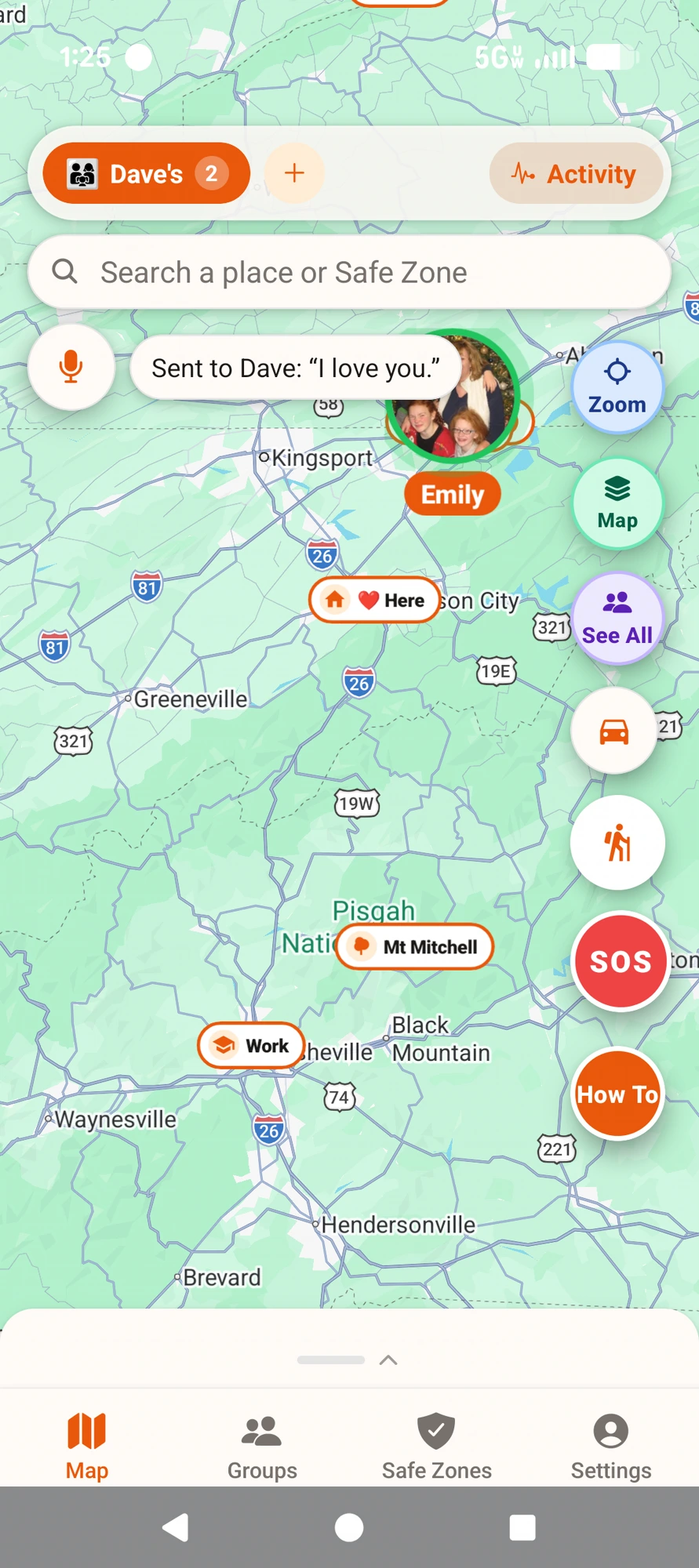
Emily says it 🎤
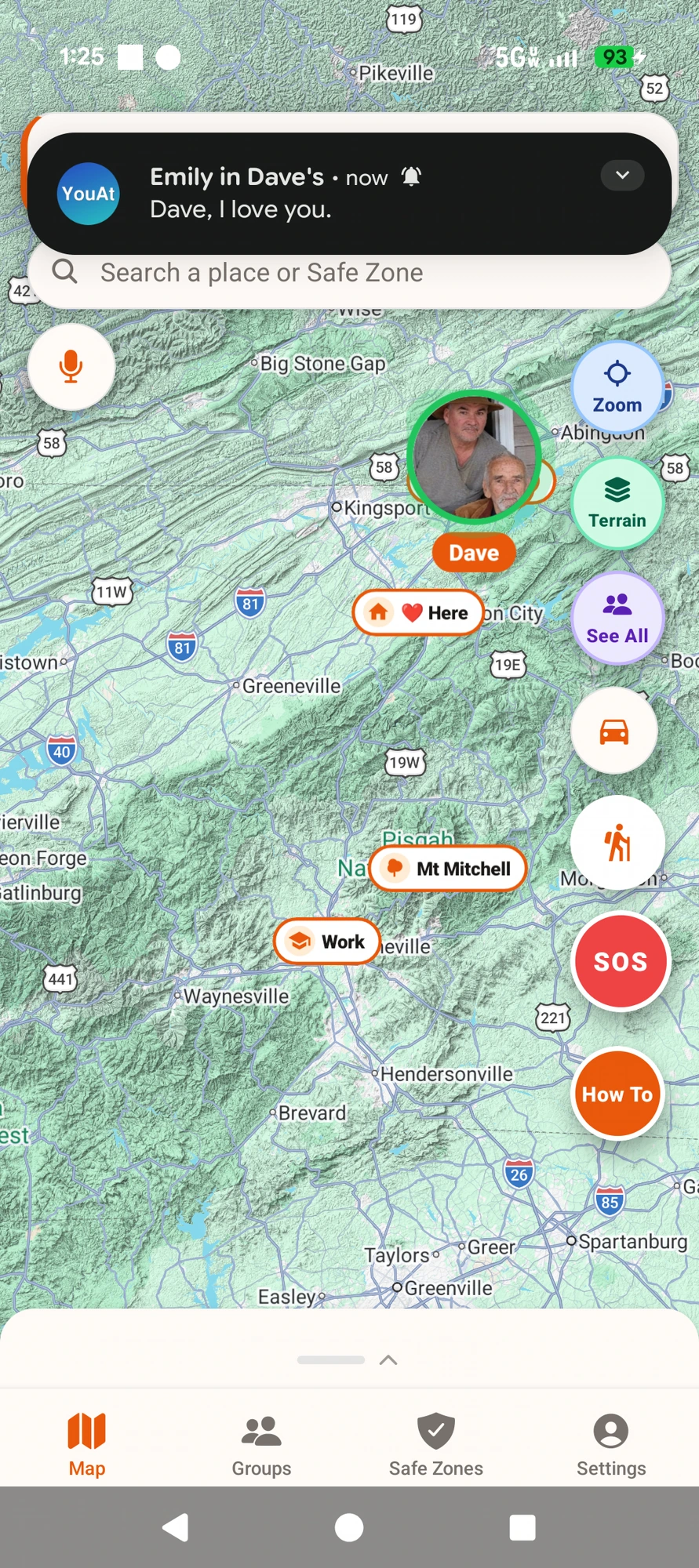
Dave gets it instantly 💬
One circle, one private chat — sent by voice, received in seconds.
Type an address or place in the search bar at the top of the map. YouAt drops a pin and gives you two buttons: Drive there, or Make Safe Zone right on the spot. Tap the map to clear it.
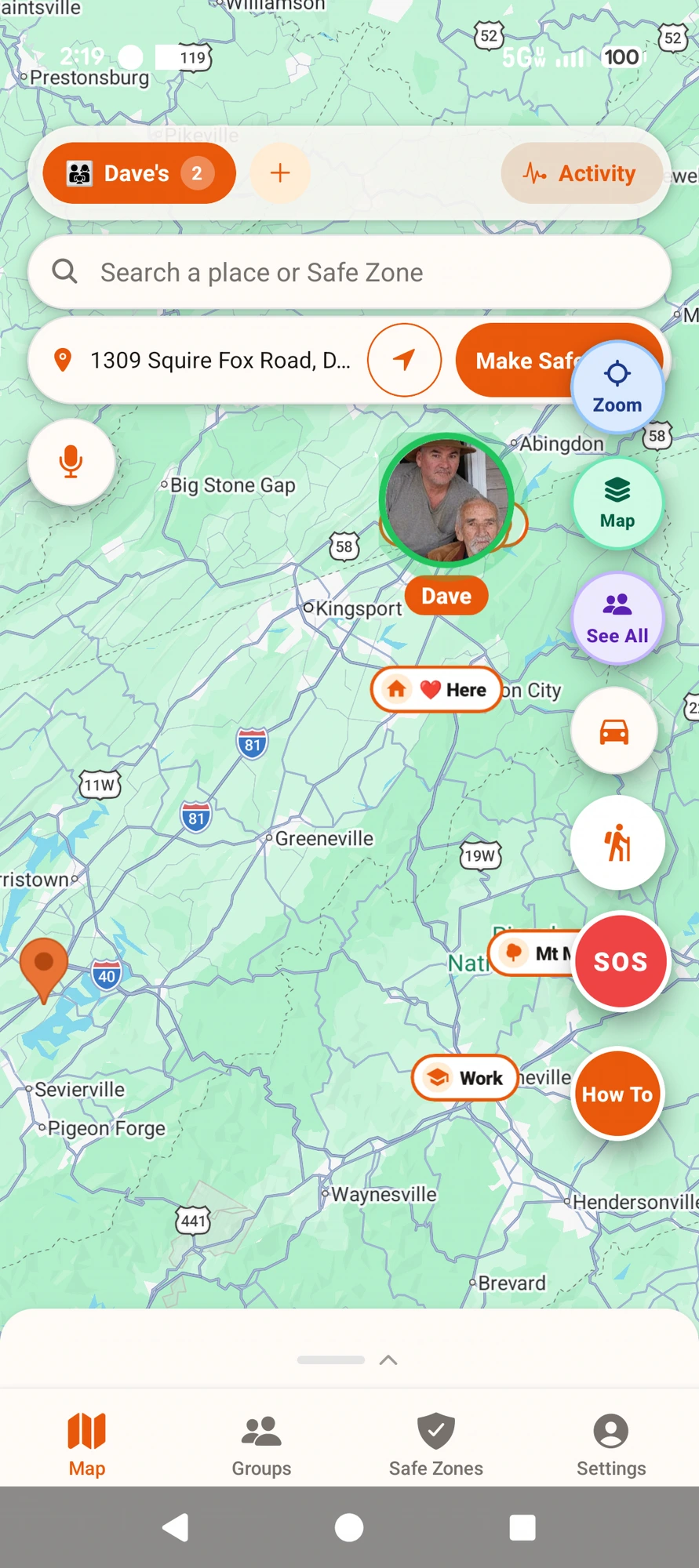
Search any address — then Drive there or Make Safe Zone.
Tap any place on the map — a restaurant, a trailhead, your kid’s pediatrician, a national forest — and a clean sheet slides up with three actions: Drive here (hands off to Google Maps turn-by-turn), Save as Safe Zone (arrival / leave alerts for the whole family), or Lock Zone here (temporary — pick a duration). Combined with the existing Drive buttons on member pins and saved zones, every meaningful dot on the map is one tap away from navigation or a geofence. Life360 shows you the same place names and does nothing with them — YouAt treats the map like it belongs to you.
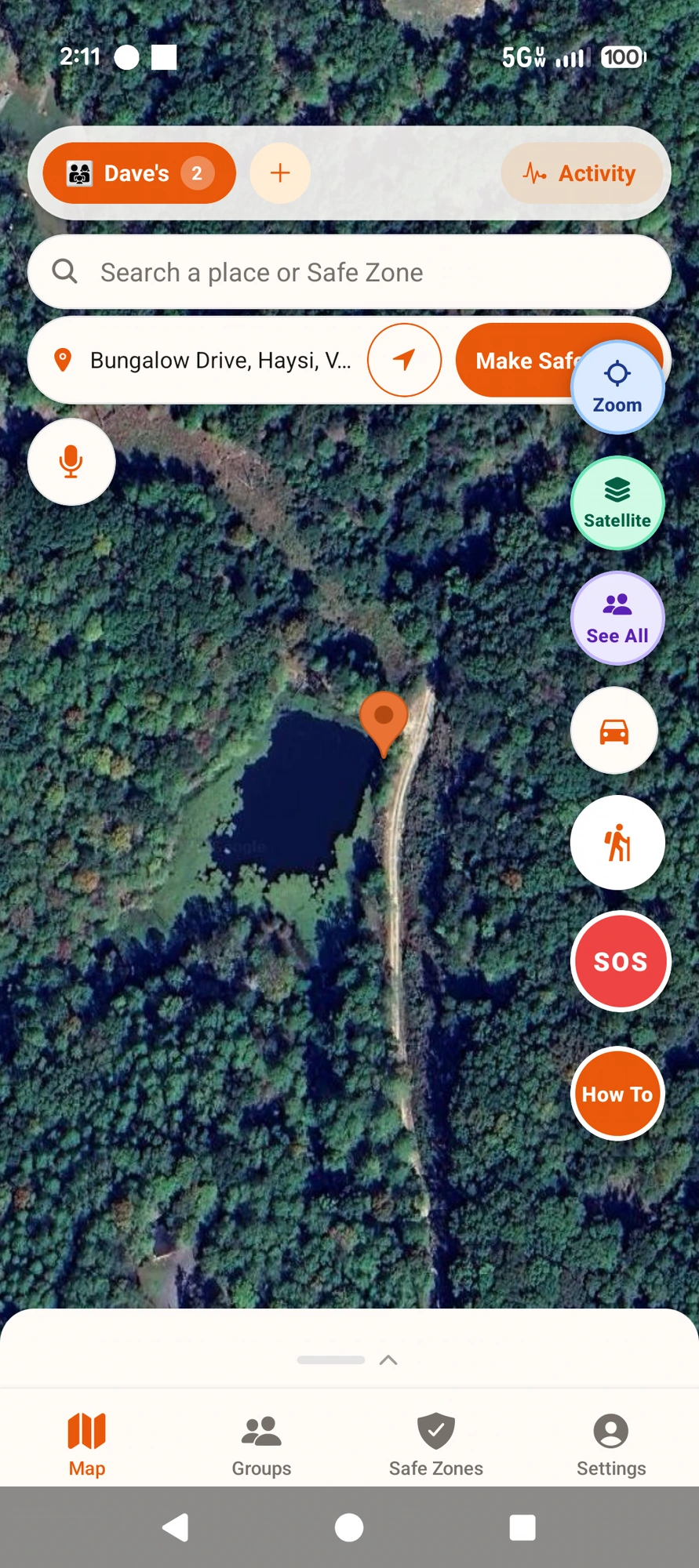
Satellite view — tap a spot, then Drive there or Make Safe Zone.
Tap the 🚗 button when you park — or just say “Park here.” YouAt saves the exact spot and turns your phone into a live walking compass — distance left and turn arrows, all the way back through the biggest lot. Say “Take me to my car” to start it hands-free. In parking garages it falls back to your saved spot when GPS drops. No ad-supported “parking apps,” no wandering row-to-row hitting the panic button on the fob.
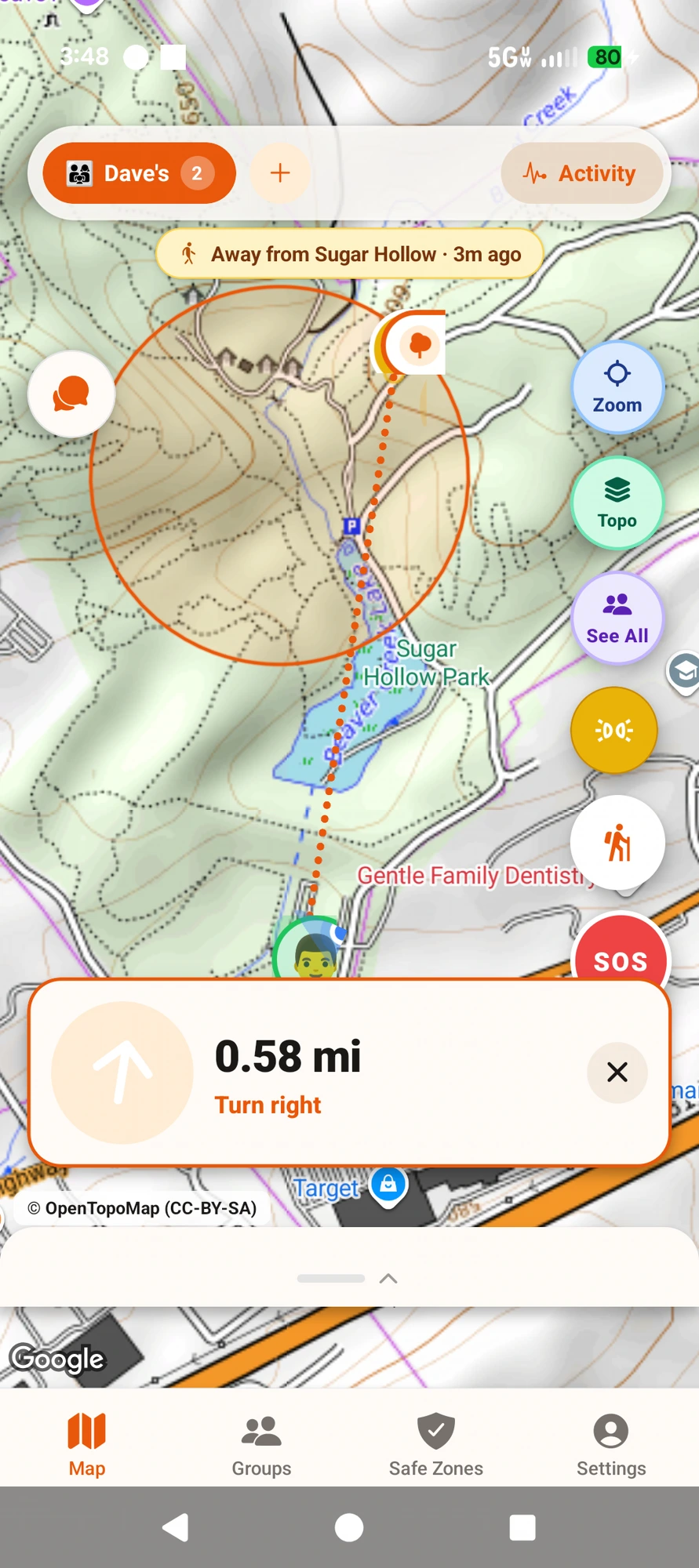
Real field shot — walking back to the car from Sugar Hollow Park (swim trunks optional 😊).
A wilderness backtracking mode built for hikes, hunts, and family adventures where cell service dies. Tap the 🥾 icon at trailhead → your phone drops GPS breadcrumbs every ~50 ft (15 m) with built-in physics-based GPS jitter filtering, so your trail polyline stays smooth even when the phone is locked in a pocket. Follow the reverse-order dashed trail back to your car even after 8 hours off-grid. Live Share My Hike lets you opt-in per hike so family can watch your progress in real time from home. Distance covered, elevation gain, and pace all render on-device. Zero data plan required in the field.
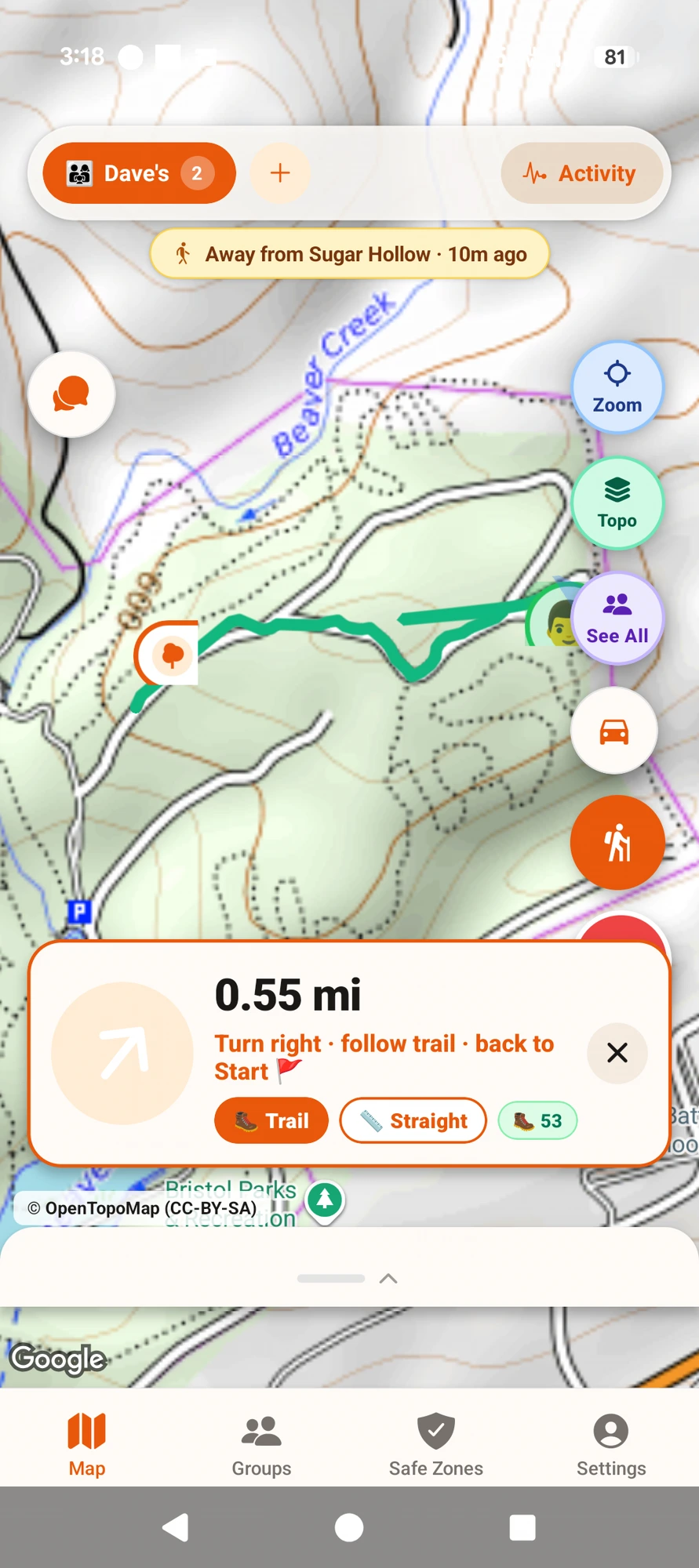
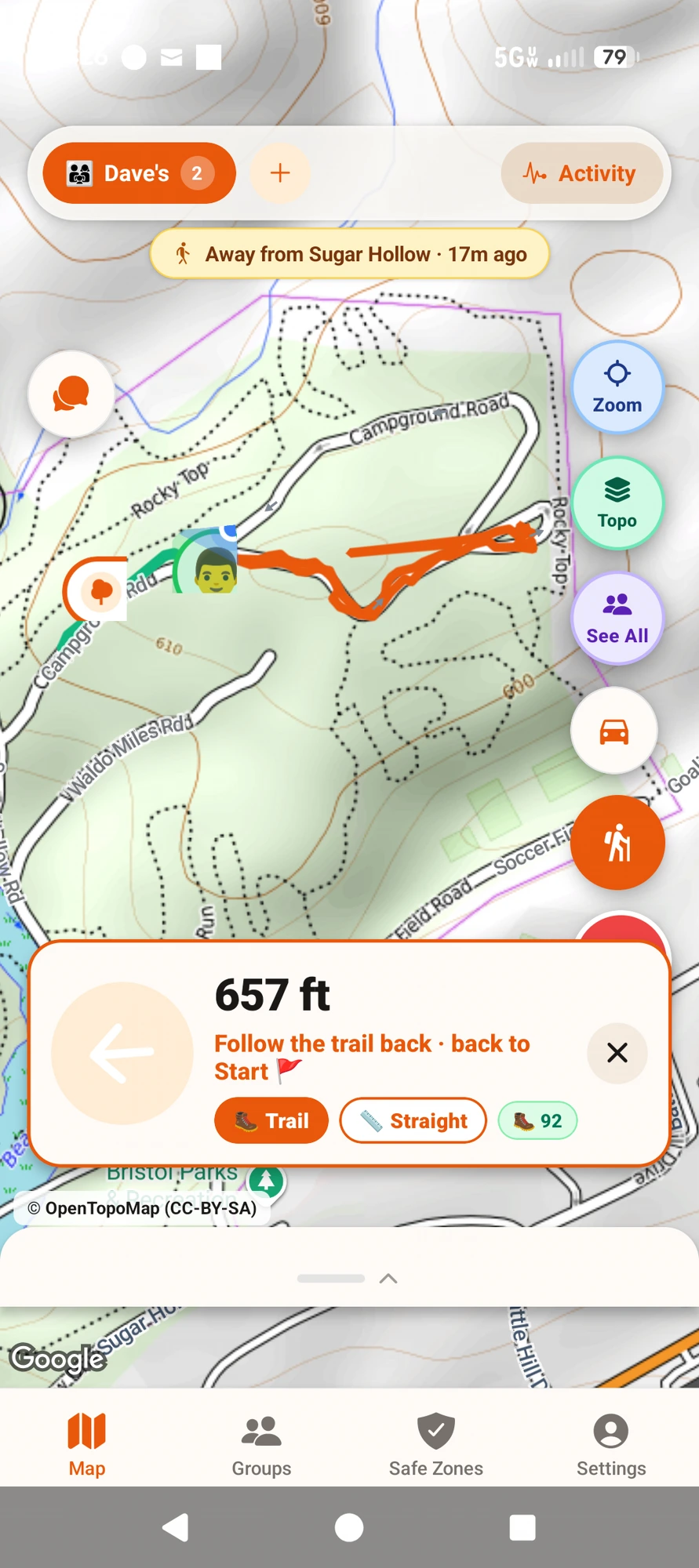
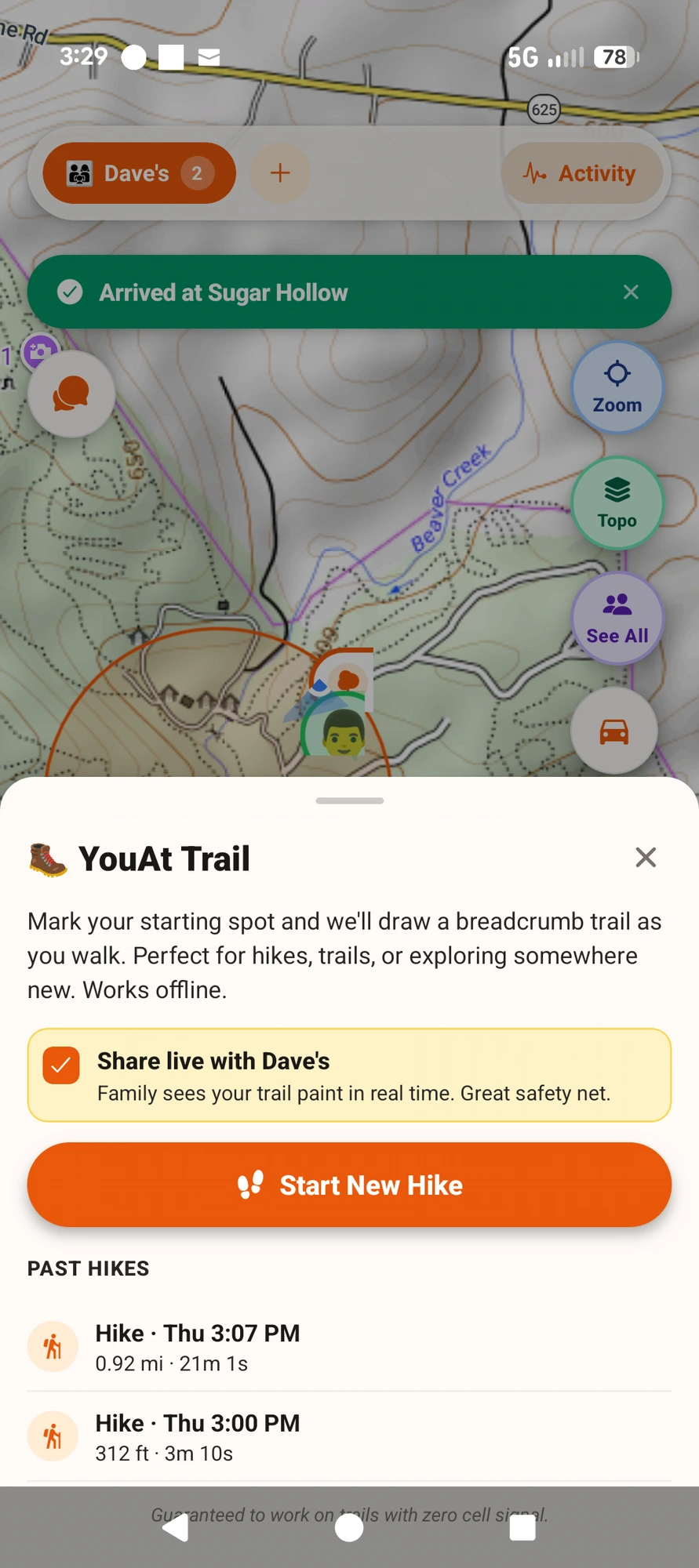
Real field shots — Sugar Hollow Park, Bristol TN, Sept 24 2026. Tap any thumbnail to enlarge.
Draw a circle around Home, School, or Work. Get ONE clean alert when someone arrives and ONE when they leave — never a stream of “in, out, in, out” spam from GPS jitter. Alerts reach you even when their phone is locked (with locked-phone alerts on). Search any address and tap Make Safe Zone to add one in seconds.
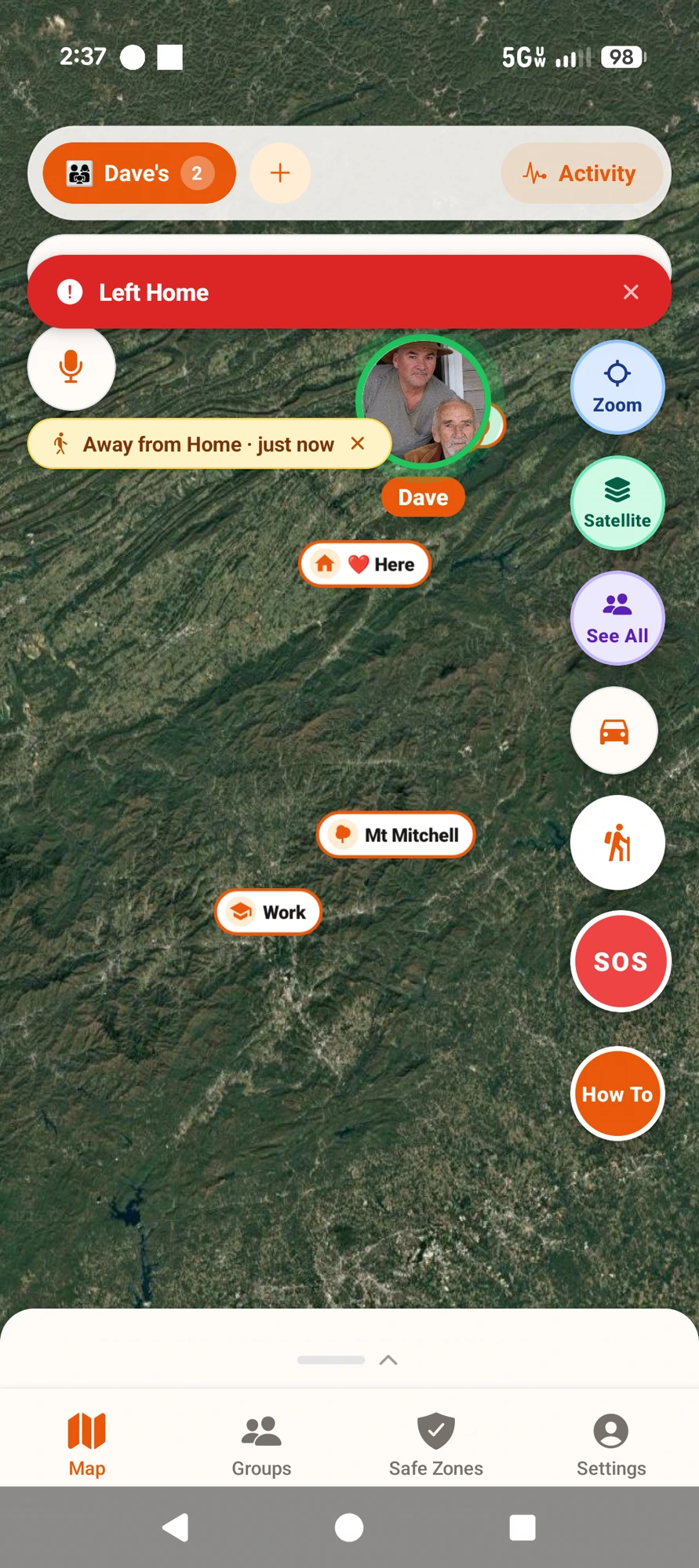
Dave leaves 🔴
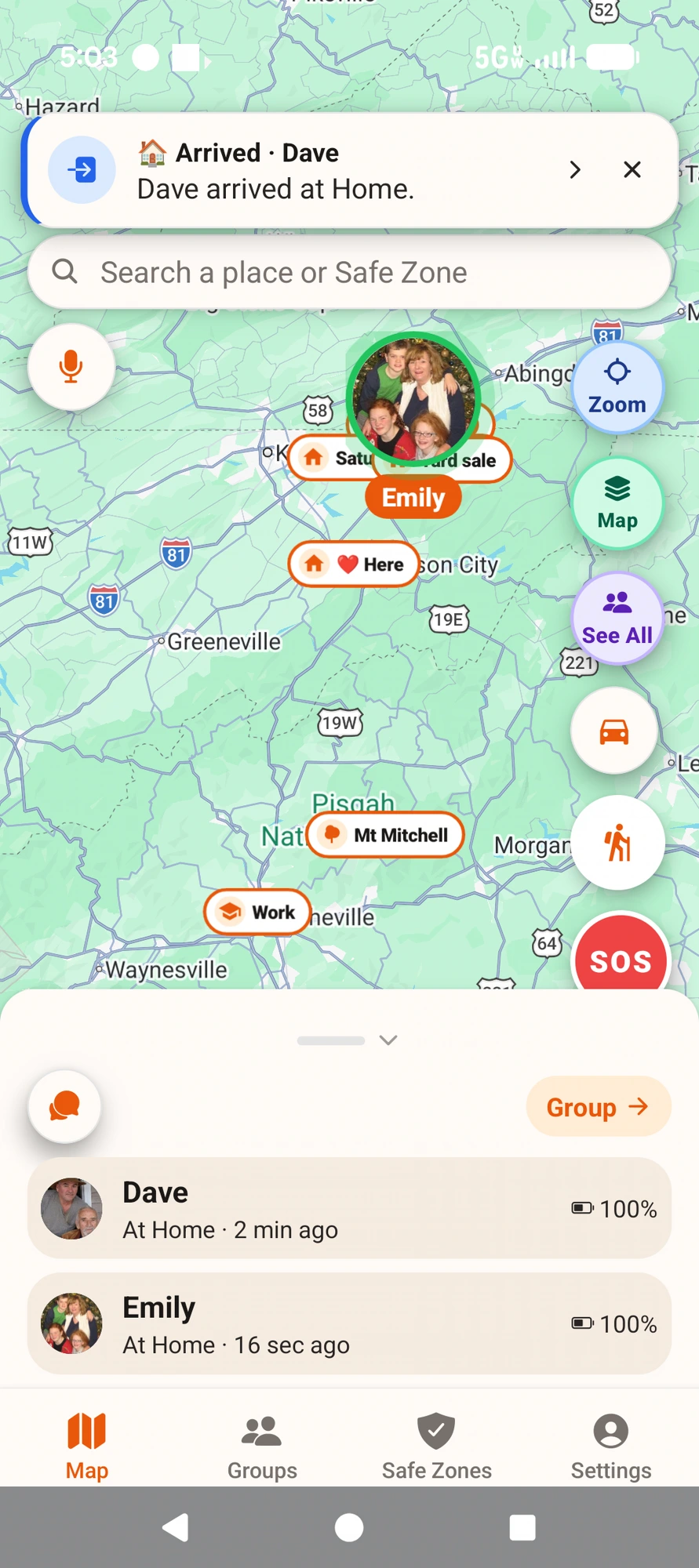
Dave arrives 🏠
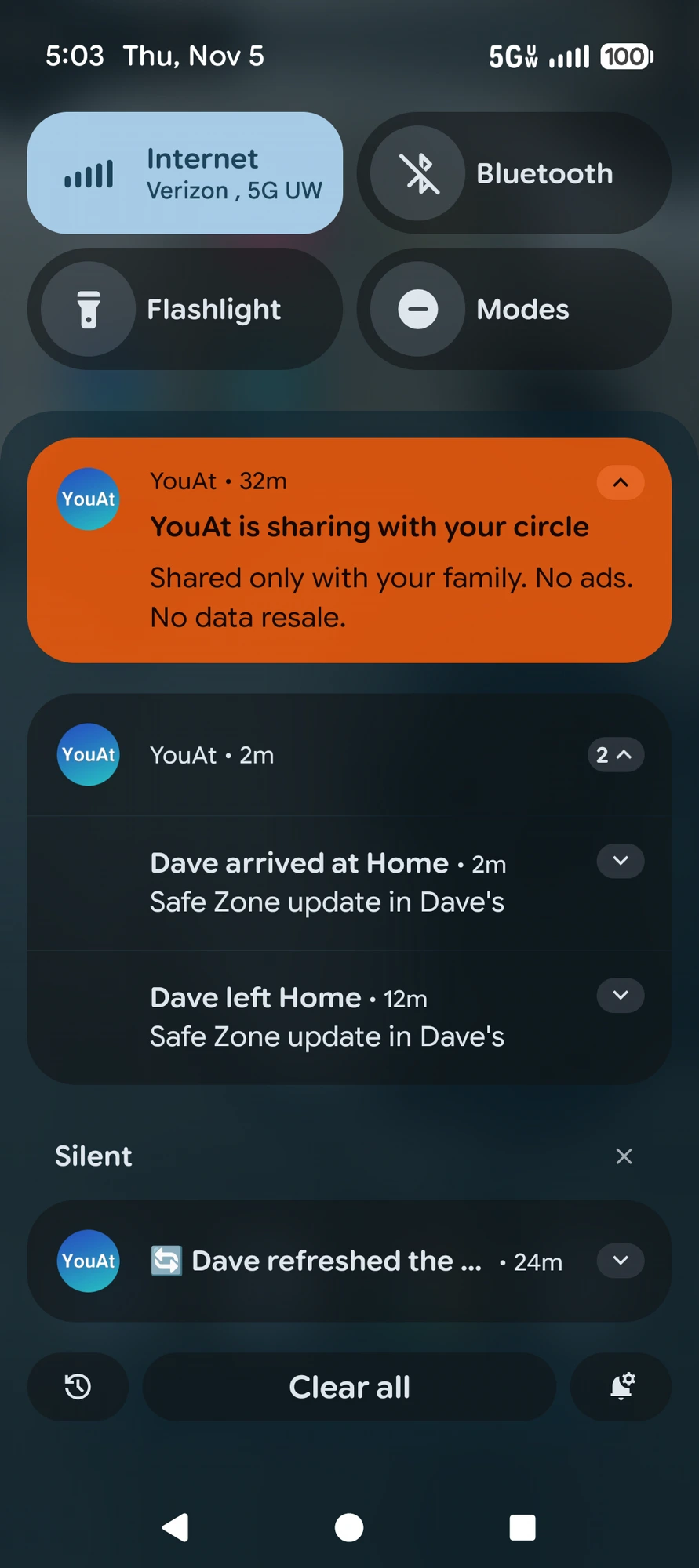
Even on a locked phone 🔔
Real phones, Nov 5 — one alert when Dave left Home, one when he got back. Nothing in between.
Not just hidden on screen — when Ghost is on, our servers stop saving your location completely. No lingering pin, no “last-known dot” leak. Family members see a purple "Sharing paused" pill. Honest pause: we never fake a location to cover for you.
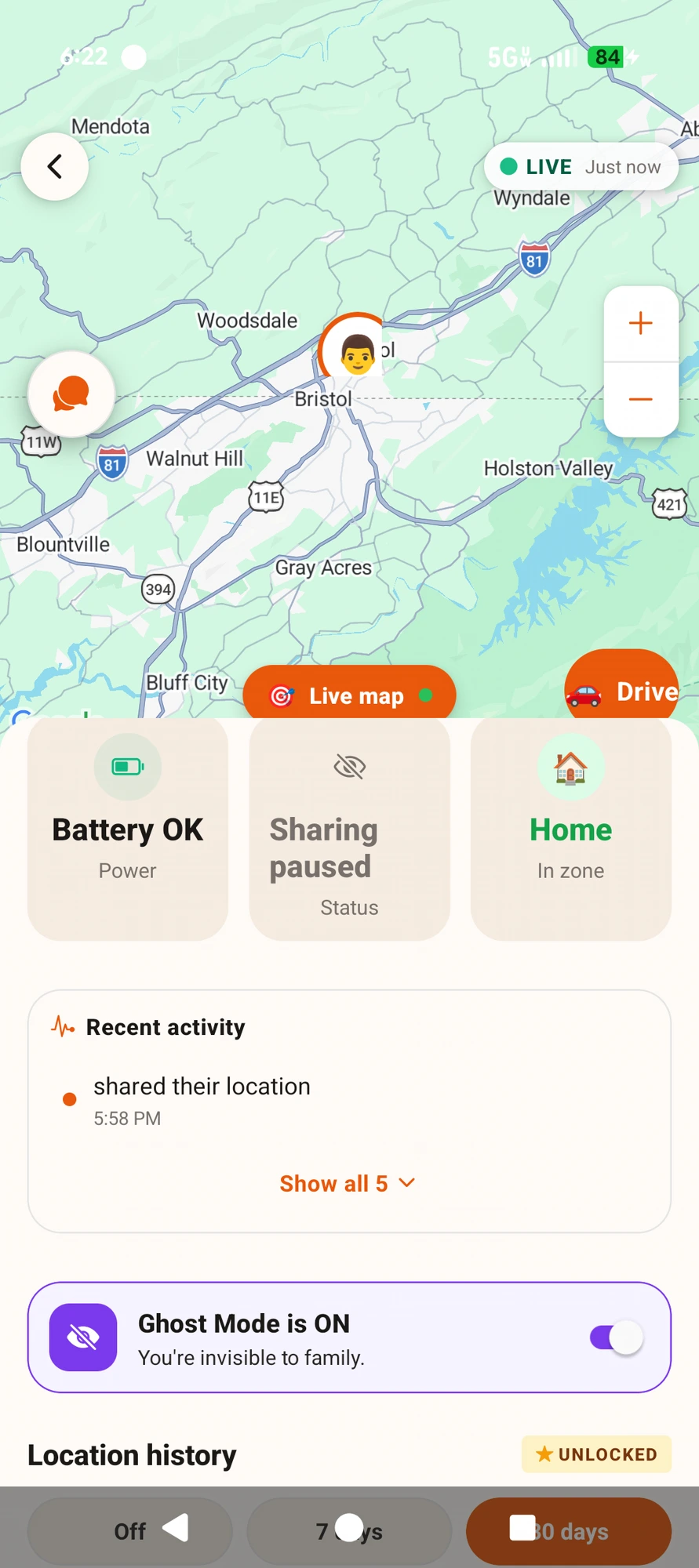
Real field shot — Ghost active. Your own map still shows you (self-view is faithful); family sees a purple “Sharing paused” pill and nothing else.
Long-press the red SOS button and choose your response: cancel a false alarm, dial 911 direct (your phone’s own dialer — no call-center middleman), or alert only your family circle with your GPS spot. The family alert rings through even on silent. No accidental panic-blast, no monitoring subscription.
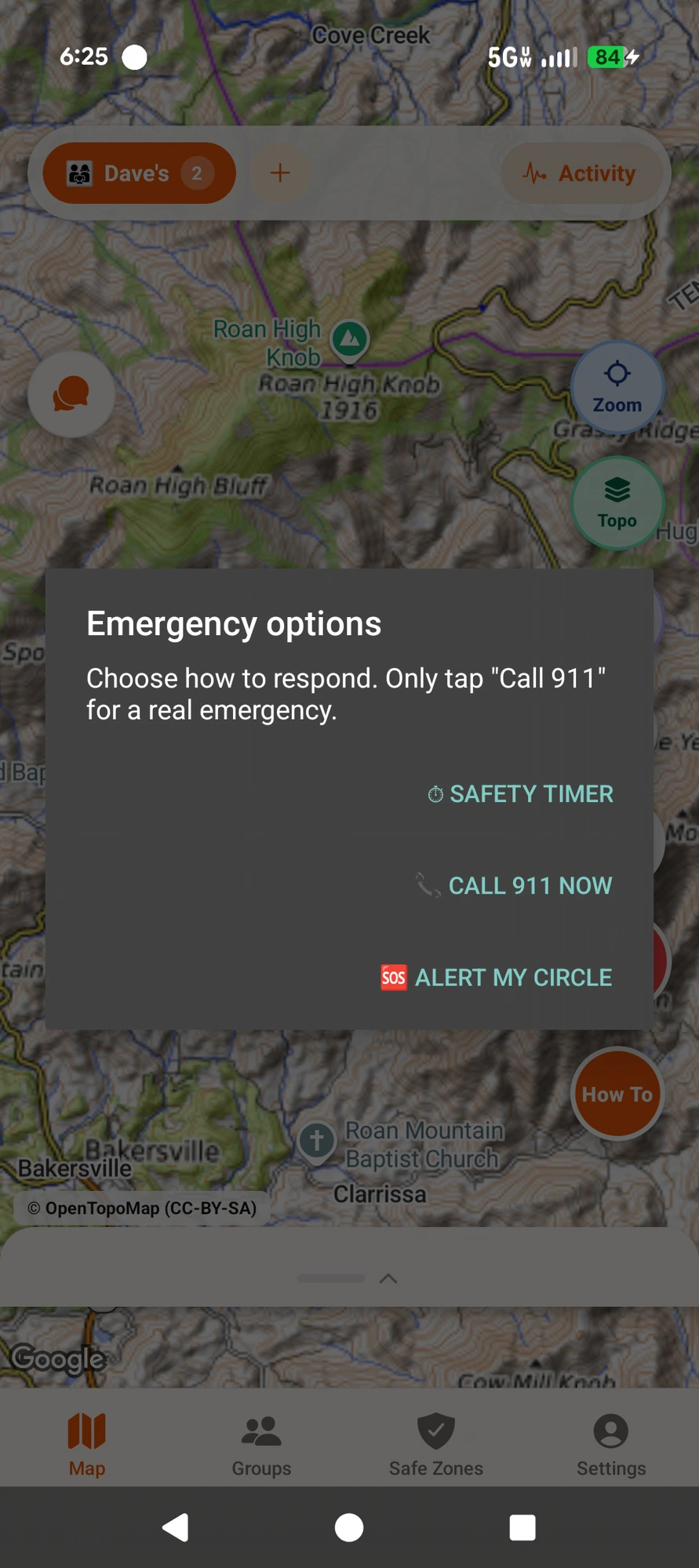
Real field shot — three tiers of help, one clean sheet. Roan Mountain, TN.
Invite-only 100-member circles via one-time codes. Members see honest presence (Live / Idle / App closed / Offline — never faked), battery context, in-app group chat, one-tap YouAt-Locate. One subscription covers your whole circle — from $1.99/mo, no per-seat pricing.
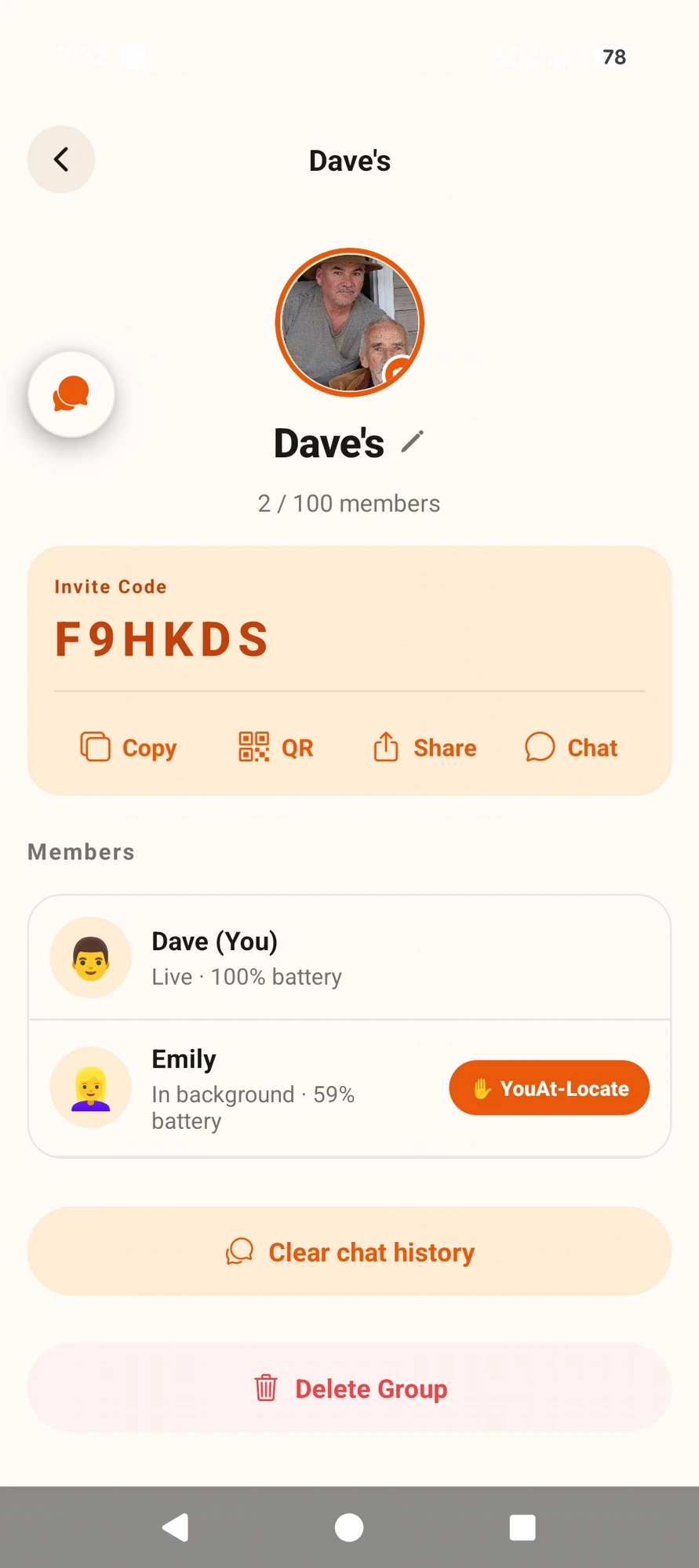
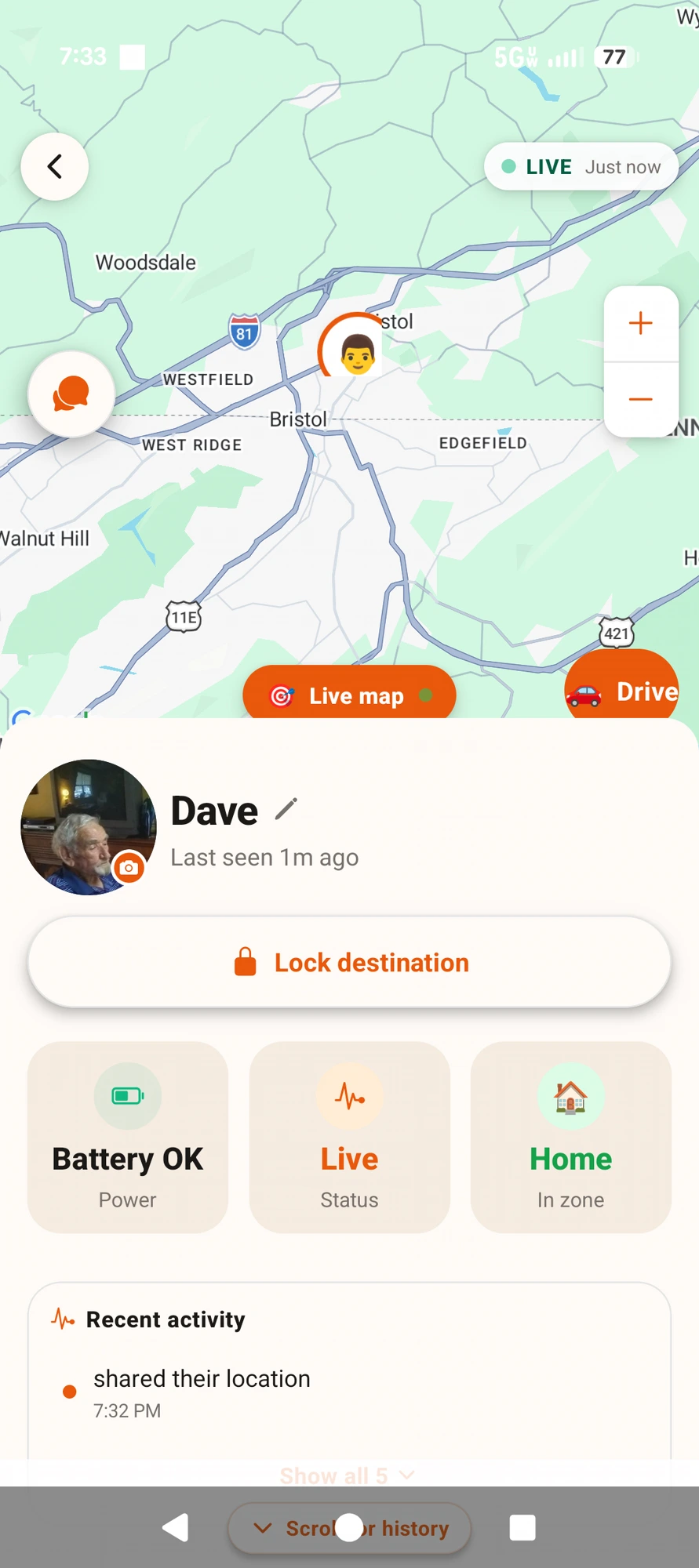
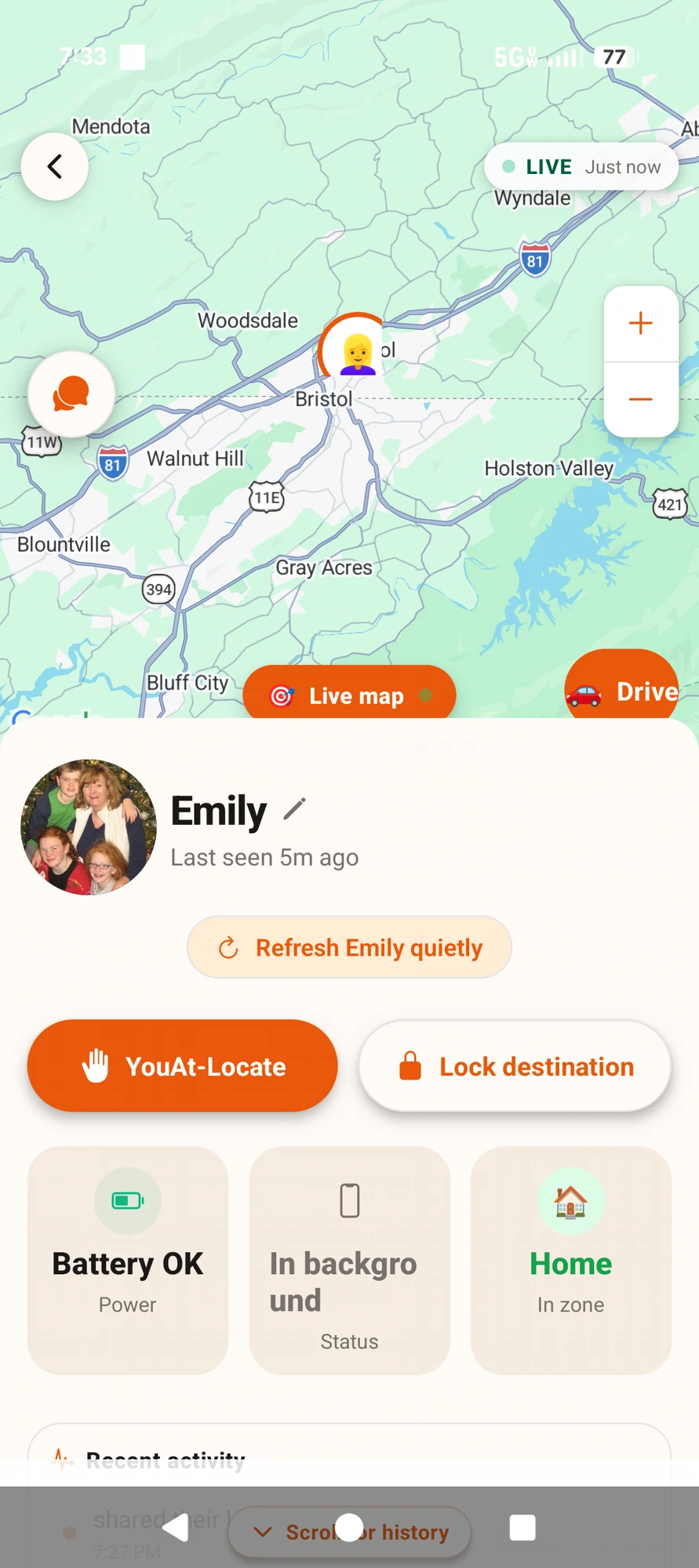
Group management → Emily (background, 59% battery) → Dave (Live). No faked presence pills anywhere.
The heart of the 2005 vision. Instead of a phone call, tap a family member and their device gets a targeted push notification. With Auto-refresh on, their phone sends back a fresh location automatically — even if the app was closed or the phone is locked. With Auto-refresh off, it waits for their tap. Everyone chooses in Settings. No arguing, no forced texting, no "why aren't you answering." The name honours the original three words: "You at?"
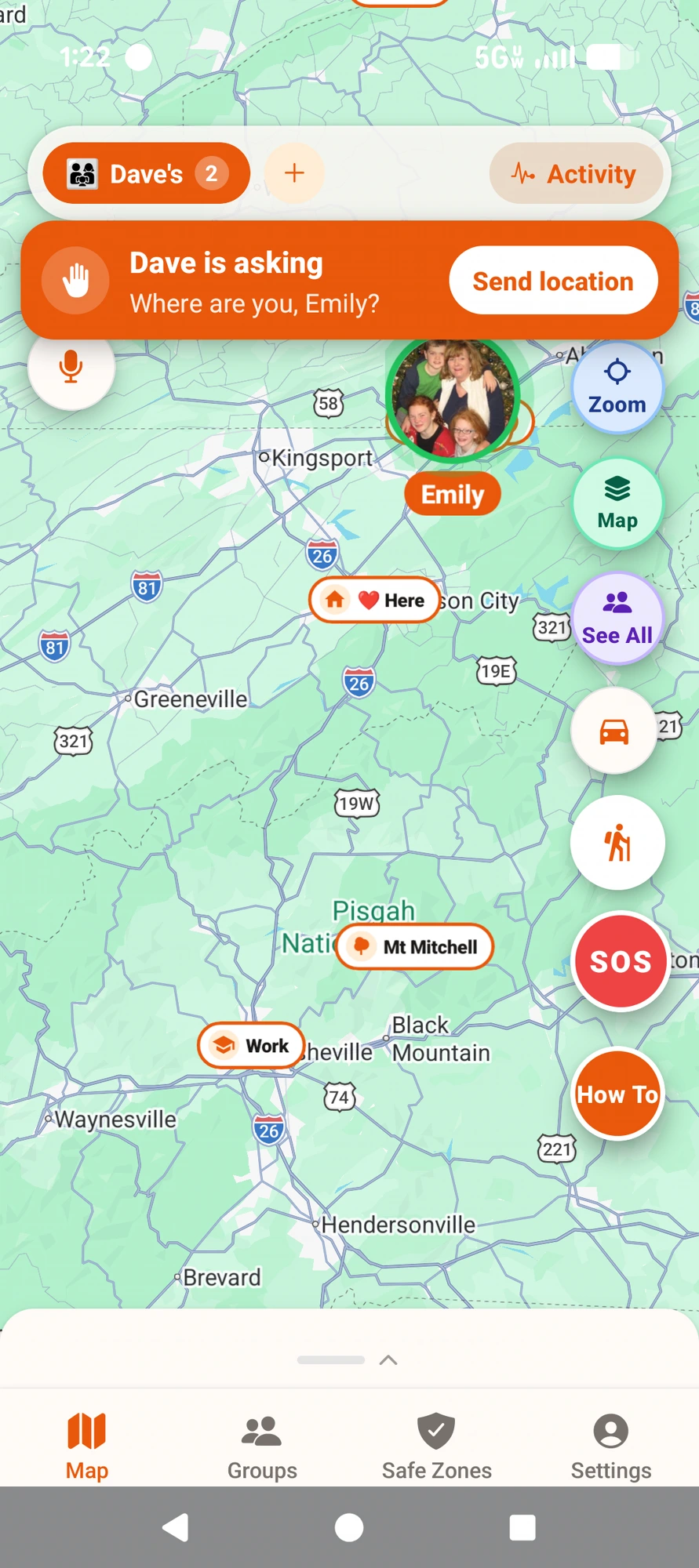
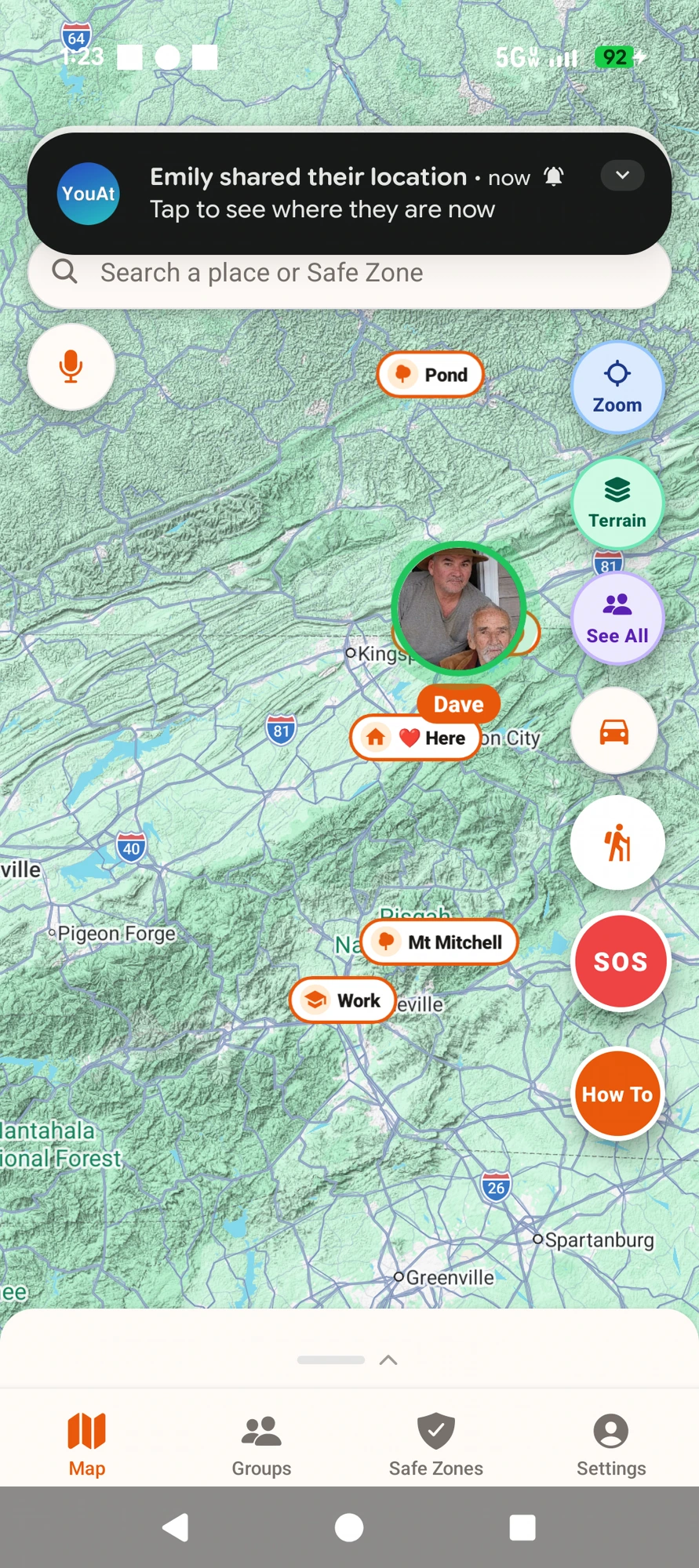
Left: Dave asks — Emily sees the request. Right: Emily replies in one tap and Dave gets her fresh location.
PRAGMA secure_delete = ON — rolling history purges physically zero the flash blocks so nothing survives forensic recovery. Shared family location flows through Firebase + MongoDB on encrypted managed-service volumes (deletable in-app anytime), because group sharing fundamentally requires a server mediator. We tell the truth about that trade-off.expo-location running in two cadence modes. Family-sharing mode (default) — 40 m distance floor, 5-minute Android time hint, auto-pauses when stationary. Trail mode (active hike only) — 15 m distance floor, 15-second time hint, no auto-pause, honest "YouAt Trail is recording" ongoing notification. Result: 5–15 m fixes while sipping battery when nothing is happening, and smooth polylines when it matters.A parking lot in Pigeon Forge, 2005. A husband sat in his car waiting for his wife to finish shopping at the Tanger Outlets. He watched 100 people walk out of a store, put a phone to their ear, and say the exact same three words: “Where are you?”
He turned to his wife when she got back and said, “Someone should build an app that just tells you where the other person is. And where you parked. So you can actually find each other.”
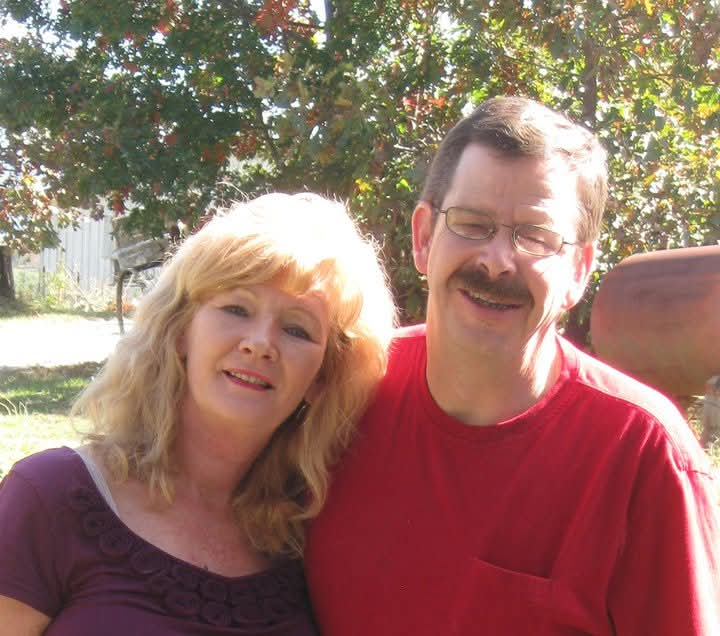
Twenty years later, Jaye — now a 40-year CNC programmer residing in Bristol, Virginia, originally from North Carolina — finally sat down at an $80 HP laptop with his phone as a tester and built it right. That app is YouAt.
In December 2021, The Markup caught Life360 selling precise location data to the US military and a dozen advertising brokers. We refuse that revenue stream by design. That’s why YouAt costs $1.99–$4.99/month and theirs is “free.” Your family’s location isn’t a product we sell.
Future expansions — the YouAt Chase pet & kid GPS tags and other Complete Family Safety & Location Portal add-ons — may be offered as separate upgrades. Everything currently in the app stays included in every tier.
“In CNC work, one bad line of code destroys an $80K machine. I built YouAt the same way — 30+ rebuilds before Play Store submission. Family safety deserves that discipline.”
— Jaye, YouAt LLC
Founder: founder@youat.app
Press: press@youat.app
Support: support@youat.app